A/B Testing for Data-Driven Improvements in Web Design

In the fast-paced world of web design, staying ahead of the competition and delivering an exceptional user experience is crucial. This is where A/B testing comes into play. A/B testing, also known as split testing, is a methodical approach to website optimization that allows designers and developers to make data-driven decisions. By comparing two or more versions of a webpage, A/B testing provides valuable insight into which design elements, content variations, or functionalities resonate best with users. It’s like a digital experiment that helps uncover what truly works and what doesn’t.

The concept of A/B testing is simple yet powerful. You take your existing webpage (the control or variant A) and create a modified version (variant B) with specific changes you want to test. These changes could be anything from the color of a call-to-action button to the layout of a product page or the wording of a headline. By randomly splitting your website’s traffic between variant A and variant B, you can collect quantitative data and analyze user behavior to determine which variant performs better.

A/B testing allows you to make informed decisions based on evidence rather than assumptions or guesswork. Understanding how users interact with different elements of your website shows you how you can optimize for higher conversion rates, increased engagement, and improved user satisfaction. A/B testing also provides insight into user preferences, helping you align your design choices with their expectations. Ultimately, the goal is to create a website that not only looks visually appealing but also performs at its best, delivering a seamless user experience that keeps visitors coming back for more.

What is A/B Testing?

A/B testing is a methodology used in website optimization to compare two or more variations of a webpage and determine which one performs better in achieving specific goals. It is a data-driven approach that enables designers and developers to make informed decisions and continuously improve the effectiveness of their websites.

The purpose of split testing is to measure the impact of changes made to a webpage and understand how those changes influence user behavior. By systematically comparing different variants, you can identify the elements that have the greatest impact on user engagement, conversion rates, click-through rates, or any other key performance indicators that align with your business objectives.

How Do I Begin A/B Testing?

Higher conversion rates

The A/B testing process typically involves several key steps. First, you start by formulating a hypothesis based on your goals and insights. This involves identifying the specific element or feature you want to test and defining your expectations regarding its impact on user behavior. For example, you may hypothesize that changing the color of a call-to-action button from red to green will result in a higher conversion rate.

Next, you create the variants for your test. Variant A, also known as the control, represents the original version of your webpage, while variant B is the modified version with the specific change you want to test. It’s important to ensure that only one element is changed between the variants, allowing you to isolate the impact of that specific change.

Once your variants are ready, you launch the test and direct a portion of your website’s traffic to each variant. It’s important to randomly assign users to the different variants to eliminate bias. This ensures that any differences in user behavior between the variants can be attributed to the changes being tested rather than external factors.

As users interact with the variants, data is collected and analyzed to evaluate their performance. This includes metrics such as click-through rates, conversion rates, bounce rates, or any other KPIs relevant to your objectives. Statistical analysis is then applied to determine if there is a significant difference in performance between the variants. This analysis can shed light on which variant performs better and helps validate or reject your initial hypothesis.

A/B Testing Tools

There are several powerful tools available in the market to assist you in the testing process. These tools offer various features and functionalities that can simplify and streamline your A/B testing efforts.

Google Optimize was long a popular free option that integrated with Google Analytics and offered split testing, multivariate testing, and redirect testing. However, Google shut Optimize down in September 2023, so today you’ll want one of the dedicated tools below, many of which integrate with GA4.

Some other widely used tools include:

  • Optimizely: Robust experimentation platform, visual editor for easy variation creation, real-time results monitoring, advanced targeting options, and integrations with popular analytics tools.
  • VWO (Visual Website Optimizer): User-friendly interface, comprehensive testing capabilities, advanced targeting options, heatmaps, and session recordings for deeper insights.
  • Adobe Target: Enterprise-level solution, comprehensive suite of optimization tools, integration with Adobe Analytics, advanced targeting and segmentation capabilities, and personalized experiences based on user behavior.

When choosing an A/B testing tool for your web design needs, there are several factors to consider. Ease of use is essential, as you want a tool that allows you to create and manage experiments efficiently. Integration capabilities with your existing systems, such as your content management system or customer relationship management platform, are also important to ensure a seamless workflow.

Additionally, consider the level of statistical significance provided by the tool. You want a tool that helps you determine the validity and reliability of your test results, ensuring that you make data-driven decisions. Advanced targeting and segmentation options can further enhance the precision and effectiveness of your experiments.

Setting Up A/B Tests

To set up effective A/B tests, follow these steps:

  1. Identify Goals: Determine the metrics that align with your website’s objectives. Whether it’s increasing click-through rates, improving conversion rates, or enhancing user engagement, clearly define the KPIs you want to measure during the A/B testing process.
  2. Create Variations: Choose the specific elements on your website that you want to test. This could include headlines, call-to-action buttons, color schemes, layouts, or any other element that you believe can impact user behavior. Create different variations of these elements to test against each other.
  3. Determine Sample Size and Test Duration: Calculate the sample size required to achieve statistically significant results. This ensures that your test results are reliable and representative of the broader user population. Additionally, consider the test duration to account for any time-based factors that could influence user behavior, such as seasonality or promotional periods.

Remember, A/B testing is an iterative process, and it may take multiple rounds of testing to uncover the most effective variations. Continuously monitor and analyze the test results to refine your website’s design, enhance user experience, and drive better outcomes.

A/B Testing Ideas and Examples

When it comes to A/B testing, there are numerous elements on your website that you can experiment with to improve performance and user experience. Here are some A/B testing ideas to consider:

  • Headlines and Call-to-Action Text: Test different variations of headlines and CTA copy to determine which ones resonate best with your audience and lead to higher conversion rates.
  • Button Placement and Design: Experiment with the placement, size, color, and design of buttons to optimize user engagement and click-through rates.
  • Forms and Checkout Process: Test different form layouts, number of form fields, and the steps involved in the checkout process to simplify and streamline the user journey.
  • Page Layout and Design: Explore variations in page layouts, content placement, and visual elements to determine the most effective design for driving user engagement and achieving your website goals.
  • Images and Videos: Evaluate different visuals, such as images, videos, or graphics, to assess their impact on user engagement, conversion rates, and overall UX.
  • Pricing and Discounts: Test different pricing structures, discount offers, or pricing display formats to determine the most effective strategy for maximizing sales and conversions.
  • Navigation and Menu Structure: Experiment with different navigation styles, menu structures, and labeling to improve ease of navigation and user satisfaction.
  • Testimonials and Social Proof: Assess the impact of different testimonials, reviews, and social proof elements on user trust and conversion rates.
  • Mobile Optimization: Test variations in mobile optimization strategies, such as mobile-friendly layouts, touch-friendly buttons, and simplified navigation, to enhance the mobile user experience.
  • Personalization: Explore the effectiveness of personalized content, recommendations, or targeted messaging to deliver a more tailored and engaging user experience.

Common Challenges and Pitfalls

While A/B testing can be a powerful tool for optimizing your website, it’s important to be aware of common challenges and pitfalls that can arise during the process. Here are some common challenges to watch out for:

  • Insufficient Sample Size: One of the challenges in A/B testing is ensuring that you have a large enough sample size to obtain statistically significant results. If your sample size is too small, the results may not accurately represent your entire user base.
  • Test Duration: It’s essential to run your A/B tests for an adequate duration to capture variations in user behavior over time. Running tests for too short a duration can lead to unreliable or inconclusive results.
  • Multiple Test Interference: When running multiple A/B tests simultaneously, there’s a risk of test interference, where the results of one test may be influenced by another test running concurrently.
  • Biased Results: Biases can affect the outcomes of your A/B tests, leading to inaccurate conclusions. Common biases include selection bias, where specific user segments are overrepresented, and novelty effect, where users may exhibit different behavior due to the novelty of the variations.
  • Misinterpretation of Results: Interpreting A/B test results requires statistical analysis and a clear understanding of the data. Avoid the temptation to draw conclusions based on surface-level observations or small differences in conversion rates.

Conclusion

A/B testing is a vital tool in web design and optimization, enabling data-driven decisions and continual website improvement. But it’s also an ongoing journey, requiring consistent testing, monitoring, and optimization. Embrace experimentation, iterate on findings, and unlock your website’s full potential.

So, bring A/B testing into your workflow, make informed changes, and create an exceptional user experience. Start small, analyze, and iterate. Your efforts will pay off as you achieve measurable results.
Designing a Website for Higher Conversion Rates

On the modern web, where attention spans are shorter than a squirrel on a caffeine rush, the power of a well-designed website cannot be underestimated. It’s not enough to have a beautiful virtual storefront; you need a conversion machine that effortlessly guides your visitors down the rabbit hole of irresistible offers and undeniable value.

Picture a website that entices, engages, and compels your target audience to take action. It’s like having a 24/7 salesperson who never sleeps, never tires, and consistently brings in a stampede of eager customers. Today we explore the hidden psychology behind user behavior, dissect the anatomy of high-converting websites, and equip you with a toolkit of actionable strategies to skyrocket your conversion rates.

What is Conversion Rate Optimization?

Today we’re diving headfirst into the world of Conversion Rate Optimization (CRO) – the secret sauce that separates the winners from the wannabes in the digital realm. Imagine having a finely tuned machine that turns casual visitors into raving fans, and potential customers into loyal advocates. That’s the power of CRO.

Let’s break it down. Conversion Rate Optimization is the art and science of maximizing the number of desired actions taken by your website visitors. It’s all about turning clicks into customers, and browsers into buyers. And trust me, when it comes to online success, the name of the game is conversions.

A well-designed website is like a funnel, guiding your visitors through various stages of their journey. From the initial spark of curiosity to the final purchase decision, each step holds the key to unlocking the holy grail of conversions. A website that converts at a high rate is a magnet for revenue, growth, and success. It’s like having a virtual sales team on steroids, working tirelessly to propel your business forward.

Knowing Your Target Audience

Market research and user analysis are the instruments that guide us on this expedition. Take the time to truly understand the desires, pain points, and motivations of your audience. Uncover their hidden needs and aspirations, and you’ll hold the key to capturing their hearts and wallets.

This is where buyer personas come into play. These are like characters in a gripping novel, except they’re based on real data instead of an author’s imagination. By understanding their hopes, dreams, and quirks, you’ll be equipped to tailor your website design to their unique needs.

Imagine, for a moment, stepping into the shoes of your buyer persona. What challenges do they face? What solutions are they seeking? By immersing ourselves in their world, we gain the power to craft a website that speaks directly to their souls. It’s the art of anticipation, and it will set you apart from the countless others who fail to truly know their audience.

Remember, it’s not just about design; it’s about speaking directly to the hearts and minds of those you wish to serve.

User-Friendly Website Design

To make conversions, first we need a user-friendly website where everything is effortless and delightful. Most often, this starts with optimizing website navigation and structure. Think of your website as a well-designed city, with clear road signs and logical pathways. Your visitors should be able to navigate effortlessly, finding what they need without breaking a sweat. No one likes getting lost in a confusing labyrinth of links. So, streamline your menus, organize your content into logical categories, and sprinkle some helpful breadcrumbs along the way.

We’re in the age of smartphones and tablets, and your website needs to be ready for the mobile revolution. Your potential customers are on the go, browsing on their trusty pocket companions. If your website doesn’t adapt to their screens like a chameleon changing colors, they’ll quickly bounce away faster than you can say, “Oops, I forgot about mobile users!” Embrace responsive design, make sure your website looks stunning on any device, and watch your conversion rates dance with joy.

Now, let’s talk about speed. Time is a precious commodity, and your visitors aren’t interested in waiting around for your website to load like it’s stuck in the Stone Age. No, we need to give them the need for speed. Optimize those images, minimize those scripts, and eliminate any unnecessary fluff that slows down your site. A lightning-fast loading speed will make your visitors feel like they’ve stumbled upon a digital oasis of efficiency.

Last but not least, we have the streamlined user interface. Picture it as a Zen garden for your visitors’ eyes. Clean, minimalist, and uncluttered. Every element should have a purpose, guiding your visitors seamlessly towards their desired actions. Say goodbye to overwhelming clutter and confusing layouts. Embrace simplicity and create an interface that sings in harmony with your visitors’ desires.

Compelling and Clear Calls-to-Action

Calls-to-action (CTA) are a little slice of web design magic that holds the power to turn visitors into enthusiastic clickers. Think of them as the charming salespeople of your website, beckoning users with irresistible offers and compelling propositions.

First things first: make those CTAs impossible to resist. They should shine like beacons of temptation, drawing the eyes of your visitors with their captivating colors and tasty designs. But remember, subtlety is key. We don’t want to blind our visitors with an explosion of neon colors. Find that perfect balance between eye-catching and tastefully inviting.

Now, let’s talk about the art of persuasive copywriting. Your CTA copy should be like a smooth-talking charmer, seducing your visitors with words that ignite their curiosity and spark their desire to take action. Use action-oriented language that nudges them to click that button without a second thought. “Get Started Now,” “Claim Your Free Trial,” or “Unlock Exclusive Content”—these are some golden phrases that lure visitors into the land of conversions. And remember, keep it concise and clear. No need for a dissertation—just a few carefully chosen words that speak volumes.

Strategically position your buttons where they’re impossible to miss. We’re talking above the fold, right in the line of sight, and in the middle of the action. Whether it’s at the end of a captivating blog post, within a compelling product description, or even subtly integrated into your website’s navigation, make sure your CTAs are right where the magic happens.

Also, consider adding a sprinkle of urgency or exclusivity to your CTAs. Phrases like “Limited Time Offer,” “Only 3 Spots Left,” or “Join the VIP Club” can ignite a sense of FOMO (Fear Of Missing Out) that propels visitors to take action before it’s too late.

So, let’s create content that captivates, engages, and leaves our visitors hungry for more. Craft stories that ignite their imagination, accompanied by visuals that dazzle their eyes. Embrace interactivity that invites them to play, participate, and connect. And above all, ensure that your content speaks directly to their hearts, minds, and aspirations. Let your website be a treasure trove of engaging and relevant content, and watch as your visitors become lifelong fans and devoted followers.

Building Trust and Credibility

Building credibility is the secret ingredient that transforms mere website visitors into loyal customers. It’s the bridge that connects your brand with their hearts and minds, assuring them that you’re the real deal—the trustworthy companion they’ve been seeking. So, let’s unveil the secrets of building trust and credibility, brick by brick.

First and foremost, let’s talk about the power of customer testimonials and reviews. These tiny nuggets of social proof hold tremendous sway over potential customers. When they see real people, just like them, raving about your product or service, their skepticism starts to crumble. Harness the power of these testimonials by showcasing them prominently on your website. Be it in the form of written quotes, video testimonials, or star ratings, let your satisfied customers be the voice that vouches for your credibility.

Trust signals are the badges of honor that reassure your visitors of your credibility. Showcasing security badges, industry certifications, and affiliations with reputable organizations can go a long way in building trust. These symbols serve as visual cues, signaling that you adhere to strict standards, follow best practices, and prioritize their security and privacy. So, proudly display these trust signals throughout your website, assuring your visitors that their well-being is your top priority.

When it comes to pricing, be clear, be concise, and be upfront. Nothing breaks trust faster than hidden fees, unexpected charges, or an overly complex pricing structure. Lay it all out in plain sight, providing transparent pricing information that leaves no room for ambiguity. Additionally, don’t shy away from highlighting your refund policies and guarantees. By offering reassurance and a safety net, you’re telling your customers, “We stand by our product or service, and we’re here to make it right.”

Remember, trust isn’t built overnight. Every testimonial, every trust signal, and every transparent pricing disclosure adds another layer of credibility. So, sprinkle your website with the voices of satisfied customers, adorn it with trust signals, and let transparent pricing policies be the cornerstone of your credibility. By doing so, you’ll lay the foundation for trust and establish yourself as a reliable and trustworthy brand in the eyes of your audience.

Streamlined Conversion Process

For e-commerce websites, the checkout process is the ultimate make-it-or-break-it moment. Imagine your customer has spent precious minutes filling up their cart with goodies, only to abandon ship at the checkout stage due to a confusing and cumbersome process. To prevent such heart-wrenching scenarios, do everything you can to simplify your checkout process.

First and foremost, minimize the number of steps required to complete the transaction. Each additional page and click is an opportunity for doubt and second-guessing to creep in. Streamline the process by condensing multiple steps into a single, user-friendly page. Offer a progress indicator, so your customers have a clear sense of how far they’ve come and how close they are to completing the purchase.

When it comes to form fields, less is more. Trim down those fields to the essentials. Ask for the necessary information and leave the optional fields for a post-conversion follow-up. Remember, every additional form field is a friction point, and friction is the nemesis of conversions.

Guest checkout options are your secret weapon in the quest for seamless conversions. Not everyone wants to create an account and endure the hassle of password creation and email verifications. By offering a guest checkout option, you eliminate a major barrier and welcome more customers into the conversion fold. Make it a breeze for them to complete their purchase without any unnecessary hoops to jump through.

Or even better, introduce the magic of one-click purchases, where a single button can transform a potential customer into a delighted buyer. By implementing a secure and trusted payment system, you enable customers to save their payment details and enjoy the convenience of one-click purchases. Remember, in the realm of conversions, speed and simplicity reign supreme.

Close Those Sales

Through market research and the creation of detailed buyer personas, you can tailor your website design to perfectly align with the needs and preferences of your audience. Remember, fast loading speed and a streamlined user interface are the secret ingredients to capturing and maintaining your visitors’ attention. And with the incorporation of visuals and interactive elements, you can captivate and delight your audience. By embracing effective storytelling techniques, you will become a master of engaging your visitors and leaving a lasting impression.

But this is not the end. Optimization is an ongoing process. A/B testing different design elements and strategies is your secret weapon to unlocking even higher conversion rates. By tracking and analyzing website performance using analytics tools, you’ll uncover valuable insights to guide your future optimizations. Remember, data is your ally on this quest for conversion greatness.

So be sure to implement these strategies and continuously optimize your website based on data-driven insights. Embrace the power of iteration and experimentation. Keep testing, tweaking, and refining until you achieve the conversion rates you’ve always dreamed of.

Website Notifications: Engaging and Retaining Your Audience

Capturing and retaining users’ attention is paramount for the success of any website. This is where website notifications come into play. Web notifications are powerful tools that can significantly enhance user experience and engagement. They serve as a means to deliver timely and relevant information directly to users, keeping them informed, engaged, and connected. Whether it’s a promotional offer, important updates, or personalized content, notifications have become an integral part of modern web design.

Types of Web Notifications

Website notifications come in various forms, each serving a specific purpose and catering to different communication channels. Let’s explore some of the most common types of website notifications and the benefits they offer:

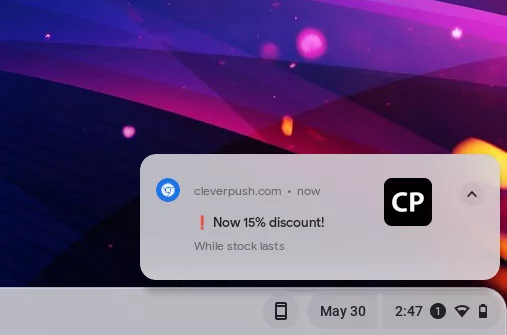
  1. Push Notifications: Push notifications are real-time messages sent directly to users’ devices, even when they are not actively browsing the website. These notifications appear as toast pop-ups or banners and can deliver important updates, personalized offers, or reminders. The key advantage of push notifications is their instant delivery and ability to engage users even when they are not on the website.
  2. Email Notifications: Email notifications have long been a staple of online communication. They are sent to users’ email addresses and are effective in delivering personalized messages, transactional updates, or newsletters. Email notifications allow for more detailed and comprehensive content, making them ideal for conveying in-depth information and maintaining ongoing communication with users.
  3. In-App Notifications: In-app notifications are specifically designed for mobile applications. They appear within the app interface and provide users with relevant information, updates, or interactions. In-app notifications can enhance user engagement, encourage specific actions, and deliver personalized content based on user behavior and preferences.

Each type of notification offers unique benefits and can be strategically employed based on the desired outcome. Push notifications excel at delivering time-sensitive information, email notifications are effective for detailed and personalized communication, and in-app notifications enhance the user experience within mobile applications.

Designing Effective Website Notifications

An example of website toast notifications

To make website notifications impactful and engaging, careful attention should be paid to their design and presentation. Here are some best practices for designing effective website notifications:

  • Visually Appealing Design: A visually appealing notification catches the user’s attention and encourages them to take action. Use eye-catching colors, attractive typography, and appropriate icons or images that align with your brand identity. Ensure that the design elements are consistent with the overall website aesthetics to maintain a cohesive user experience.
  • Clear and Concise Messages: Notifications should deliver the intended message quickly and effectively. Keep the content concise, using short and compelling copy that conveys the purpose of the notification clearly. Users should be able to understand the notification at a glance without having to read lengthy paragraphs.
  • Placement and Timing: Consider where and when the notifications should appear to maximize their impact. Place notifications in a prominent location on the screen where users’ attention is naturally drawn. Avoid obstructing important content or causing frustration. Additionally, time the notifications appropriately to avoid interrupting the user’s flow or appearing too frequently, which can lead to annoyance.
  • Personalization and Relevance: Tailor your notifications to the user’s preferences and behavior whenever possible. Leverage user data and segmentation to deliver personalized and relevant notifications. By understanding their interests and needs, you can increase the likelihood of users engaging with the notifications.

Implementing Website Notifications

When it comes to implementing website notifications, there are various tools and plugins available that can simplify the process and offer a range of customization options. Here are some considerations for implementing website notifications effectively:

  • Notification Plugins and Tools: Depending on your platform, there are dedicated notification plugins and tools that can streamline the integration process. For example, if you are using WordPress, you can explore plugins like “OneSignal” or “PushEngage” that provide comprehensive notification capabilities. If you have an e-commerce website on Shopify, you can leverage built-in notification features or explore Shopify apps like “Firepush” or “PushOwl” for enhanced functionality.
  • Integration with Content Management Systems and E-commerce Platforms: Ensure that the chosen notification system integrates seamlessly with your content management system (CMS) or e-commerce platform. This integration allows you to leverage user data, customer behaviors, and events to trigger relevant and personalized notifications. For example, integrating a notification system with a CMS like WordPress or a platform like Magento can provide a unified solution for managing and sending notifications.
  • Customization Options: Look for notification systems that offer customization options to align with your branding and design requirements. This includes the ability to customize notification templates, colors, icons, and positioning. The more flexibility you have in customizing the appearance and behavior of your notifications, the better you can tailor them to fit your website’s unique style and user experience.
  • Targeting and Segmentation: Effective notification systems allow you to target specific user segments or audience groups with relevant notifications. This targeting can be based on factors such as user preferences, demographics, past behavior, or even geographic location. By delivering notifications that are highly relevant and personalized, you can increase their impact and engagement.

Conversion and Engagement

Website notifications offer a valuable opportunity to drive conversions and increase user engagement. The strategic use of these notifications can encourage users to take desired actions and make the most of their visit to your website. Here are some strategies to optimize conversion and engagement through website notifications:

  • Effective Call-to-Action Buttons: Incorporate clear and compelling call-to-action buttons within your notifications. Make sure the buttons are visually prominent and use action-oriented language to entice users to click. For example, instead of a generic “Learn More” button, use more specific and persuasive phrases like “Get Your Exclusive Discount” or “Start Your Free Trial Today.” Well-designed and attention-grabbing call-to-action buttons can significantly increase click-through rates and conversions.
  • Enticing Offers and Personalization: Use website notifications to deliver exclusive offers, discounts, or personalized recommendations to your users. Tailor these offers based on user preferences, past behavior, or purchase history. Personalized notifications that provide relevant incentives have a higher likelihood of driving engagement and conversions. Experiment with different offers and messaging to determine what resonates best with your audience.
  • Tracking and Analyzing Performance: Implement tracking mechanisms to measure the impact of website notifications on user behavior and website performance. Use analytics tools to monitor metrics such as click-through rates, conversion rates, and revenue generated from notification-triggered actions. By analyzing this data, you can gain insights into the effectiveness of your notification strategies and make informed decisions for optimization.
  • Balancing Frequency and Relevance: Find the right balance between the frequency of notifications and their relevance to your users. Bombarding users with too many notifications can lead to annoyance and opt-outs, while infrequent notifications may result in missed opportunities. Regularly assess the relevance and value of your notifications to ensure they align with user expectations and interests.

Managing User Preferences and Opt-In/Opt-Out Options

Respecting user preferences and providing them with control over their notification experience is crucial for maintaining a positive user relationship. Here are some strategies for effectively managing user preferences and opt-in/opt-out options:

  • Clear and Transparent Notification Settings: Design intuitive and user-friendly notification settings within your website or application. Provide a dedicated section where users can easily manage their preferences, including the types of notifications they wish to receive and the channels through which they prefer to receive them (e.g., email, push notifications). Clearly label each option and provide concise descriptions to help users make informed decisions.
  • Granular Notification Customization: Offer fine-tuned customization options that allow users to personalize their notification preferences based on their interests and needs. For example, provide category-specific subscriptions or the ability to choose the frequency of notifications. Tailoring the notification experience to individual preferences helps to enhance user satisfaction and reduce the likelihood of opt-outs.
  • Opt-In/Opt-Out Mechanisms: Ensure that users explicitly opt-in to receive notifications, rather than automatically subscribing them. Make the opt-in process clear and transparent, clearly stating the benefits of subscribing to notifications and obtaining user consent. Additionally, provide an easy and accessible opt-out mechanism that allows users to unsubscribe from notifications at any time. Include clear instructions on how to manage notification preferences and make the process hassle-free.
  • Compliance with Data Protection Regulations: Adhere to data protection regulations, such as the General Data Protection Regulation (GDPR), when managing user notification preferences. Ensure that you collect and process user data in accordance with applicable laws, and obtain proper consent for storing and using user information for notification purposes. Provide a privacy policy that clearly explains how user data is handled and reassure users that their privacy is protected.
  • Communication and Education: Educate users about the benefits and value of your notifications. Clearly communicate how notifications enhance their experience, provide relevant information, or offer exclusive offers. Regularly engage with users through email or other channels to remind them of the value they receive from your notifications and give them the opportunity to update their preferences if needed.

Optimizing Website Notifications for Mobile Devices

With the ever increasing use of mobile devices, it is essential to optimize website notifications for mobile users. Here are some considerations and strategies for delivering effective and engaging notifications on mobile devices:

  • Responsive Design: Ensure that your notification design is responsive and adapts well to various mobile screen sizes and orientations. Optimize the layout, font sizes, and button sizes to provide a seamless experience across different devices. Test the appearance and functionality of notifications on multiple mobile devices and browsers to ensure consistent performance.
  • Mobile-Friendly Content: Craft notification messages that are concise, clear, and mobile-friendly. Mobile users often have limited attention spans and smaller screens, so it is crucial to deliver your message efficiently. Use simple and engaging language, and consider using visuals, such as icons or images, to make notifications more visually appealing.
  • Timing and Frequency: Be mindful of the timing and frequency of notifications on mobile devices. Respect users’ mobile browsing behaviors and consider their time zones and daily routines. Sending notifications at appropriate times and avoiding excessive frequency can help maintain a positive user experience and prevent users from feeling overwhelmed.
  • Mobile Push Notifications and In-App Messaging: Explore the use of mobile push notifications and in-app messaging to reach mobile users effectively. Push notifications allow you to deliver messages directly to users’ mobile devices, even when they are not actively using your website or app. In-app messaging provides an opportunity to engage users within the app interface itself, delivering timely and contextual information or updates.

Push Those Notifications

Website notifications play a crucial role in enhancing user experience, driving engagement, and increasing conversions. Implementing effective notification strategies can keep your audience informed, engaged, and connected to your website. Remember, a well-designed and well-executed notification system can significantly impact user behavior and contribute to the overall success of your website. However, it is essential to strike a balance between providing valuable notifications and respecting user preferences and privacy.

Regularly monitor and measure the performance of your notifications using analytics and tracking tools, focusing on key metrics such as click-through rates, conversion rates, and user engagement. Use A/B testing and continuous optimization techniques to refine your notification strategies and improve their effectiveness over time. Additionally, gather user feedback to gain insights into their preferences and experiences, allowing you to make data-driven decisions for further improvement.

As you integrate website notifications into your web design and marketing strategies, strive to create a balance between providing valuable information and maintaining a positive user experience. By following the best practices outlined in this article and continuously optimizing your notification system, you can enhance user engagement, drive conversions, and deliver a seamless and personalized user experience on your website.

How to Create Engaging Content for Your Website

Creating and publishing interesting articles, videos, and imagery is essential for the success of your website. Engaging content captivates your audience, keeps them interested, and encourages them to take action. Whether you’re running a blog, an e-commerce site, or a business website, crafting content that resonates with your visitors is key to driving traffic, increasing conversions, and building a loyal following. In this article, we will explore the art of creating engaging content and provide you with valuable insights and strategies to make your website a captivating destination for your audience. From understanding your target audience to incorporating visual elements, optimizing for search engines, and encouraging interaction, we’ll cover a wide range of techniques to help you create content that stands out and leaves a lasting impact. Get ready to unleash the power of compelling content and take your website to new heights of success.

Understanding Your Target Audience

To create engaging content, it’s crucial to have a deep understanding of your target audience. Conducting thorough audience research and developing buyer personas will provide valuable insight into their demographics, interests, and preferences. By gaining a clear picture of who your viewership is, you can tailor your content to resonate with their specific needs and desires.

Start by collecting data on your existing audience through analytics tools, surveys, and social media insights. This data will help you identify patterns, demographics, and behaviors that define your audience. Dive deeper into their goals, challenges, and pain points. Understanding their motivations and aspirations will enable you to craft content that speaks directly to their needs.

By aligning your content with your audience’s preferences, you can create a strong connection that engages and resonates with them on a personal level. Whether it’s addressing their pain points, providing solutions to their challenges, or offering valuable wisdom and entertainment, content tailored to your audience’s interests will keep them coming back for more.

Forming Compelling Headlines

When it comes to engaging your website visitors, the first impression is crucial. Compelling headlines and introductions play a pivotal role in capturing the attention of your audience and enticing them to explore further. Here are some techniques to help you create captivating titles and descriptions that hook your readers.

  1. Grab attention with powerful headlines: Your headline should be attention-grabbing and pique the curiosity of your audience. Use strong, action-oriented words, pose thought-provoking questions, or make bold statements that promise value or solve a problem. Incorporate relevant keywords naturally while ensuring the headline remains concise and impactful.
  2. Create a compelling introduction: Once you’ve grabbed your readers’ attention with the headline, it’s essential to maintain their interest in the introduction. Start with a captivating opening sentence that immediately hooks the reader. Use storytelling techniques, share intriguing facts or statistics, or highlight a problem that resonates with your audience.
  3. Incorporate relevant keywords: While crafting engaging content, it’s essential to incorporate relevant keywords strategically. Keyword research can help you identify the terms and phrases your target audience is searching for. Integrate these keywords naturally into your headlines and introductions, ensuring they flow seamlessly and enhance the readability of your content.

Remember, the primary goal of your headlines and introductions is to capture your audience’s attention and entice them to continue reading. Learn the art of crafting compelling and attention-grabbing openings to increase the chances of keeping your visitors engaged and interested in exploring the rest of your content.

Utilizing Storytelling Techniques

Stories have a unique power to captivate and engage audiences. Incorporating storytelling techniques can help you leave a lasting impression and forge a deeper connection with your readers. Here are some ways to harness the power of storytelling in your content creation:

  1. Tap into emotions: Emotions are at the core of compelling storytelling. Identify the emotions you want your audience to feel and craft your content around them. Whether it’s joy, inspiration, empathy, or surprise, evoke emotions that resonate with your target audience. This emotional connection will make your content more memorable and relatable.
  2. Share personal experiences: Personal stories have a profound impact on readers. Consider sharing your own experiences, challenges, or triumphs related to your industry or topic. By revealing your authentic self, you create a sense of trust and credibility with your audience. Personal stories also help humanize your brand and make your content more relatable.
  3. Connect with your audience’s values: Stories that align with your audience’s values have a powerful impact. Identify the values that resonate with your target audience and weave them into your storytelling. Highlight how your brand or message aligns with these values and show how your content can make a positive impact on their lives.

Incorporating storytelling techniques into your content can create a memorable and immersive experience for your audience. Through emotional connections, personal experiences, and compelling narratives, you can engage readers on a deeper level, making your content more impactful and shareable. Embrace the power of storytelling and unleash the potential of your website’s content.

Incorporating Visual Content

Animation in web design

Visual content plays a crucial role in capturing attention and delivering engaging experiences. By integrating images, infographics, videos, and other visual media into your website’s content, you can enhance its appeal and increase user engagement. Here are some key considerations when incorporating visual content:

  1. Capturing attention: Visual elements have the power to grab and hold the attention of your audience. Use eye-catching images and graphics that are relevant to your content and visually appealing. Compelling visuals help break up the text, making it easier to digest and keeping readers engaged.
  2. Enhancing storytelling: Visual content can complement your storytelling efforts by providing additional context, illustrating concepts, or conveying emotions. Use images or videos that align with your narrative to create a more immersive and impactful experience. Infographics are great for presenting complex information in a visually appealing and digestible format.
  3. Optimizing for performance: While visual content is essential for engagement, it’s crucial to optimize it for fast loading times and responsiveness. Compress images without sacrificing quality to reduce file sizes and improve page load speed. Utilize responsive design techniques to ensure that visual elements adapt seamlessly to different screen sizes, enhancing the user experience across devices.
  4. Incorporating multimedia: Videos, animations, and interactive elements can further enhance the engagement of your content. Multimedia elements add variety and interactivity, making your website more dynamic and memorable.

Remember to balance visual content with textual content, ensuring that both work harmoniously to deliver a cohesive and engaging user experience. By incorporating relevant and optimized visual elements, you can capture attention, enhance storytelling, and create a memorable impression that keeps visitors coming back for more.

Writing Engaging and Scannable Content

Creating engaging content goes beyond just the visual appeal. It’s essential to structure your content in a way that is easy to read, scan, and digest. By employing effective formatting techniques, you can make your content more accessible and engaging for your audience. Here are some strategies to consider:

  1. Formatting for readability: Utilize an appropriate font size and style that is easy on the eyes. Break up large blocks of text into shorter paragraphs to make it more readable. Use ample line spacing and whitespace to give your content room to breathe. Incorporate headings and subheadings to provide structure and guide readers through the content.
  2. Scannable content with subheadings: Many readers scan content rather than reading it word-for-word. Make it easy for them to find what they’re looking for by using descriptive and keyword-rich subheadings. This helps break up the content into digestible sections and allows readers to quickly locate the information they need.
  3. Bullet points and numbered lists: When presenting lists or key points, utilize list formatting elements to make information more scannable and emphasize important details. Bullet points also create visual variation, which aids in maintaining reader interest.
  4. Short and concise paragraphs: Keep paragraphs short and focused to maintain reader engagement. Lengthy paragraphs can be overwhelming and deter readers from engaging with your content. Aim for paragraphs that are 2-3 sentences long to promote readability and flow.
  5. Incorporating visual cues: Use bold or italicized text to emphasize important keywords or phrases. This helps draw the reader’s attention to critical information. Additionally, consider using blockquotes or pullquotes to highlight key insights or snippets, adding visual interest and breaking up the content.

These strategies you can help you make your content more engaging, scannable, and reader-friendly. Remember that many online readers have limited attention spans, so capturing and maintaining their interest is essential. Well-structured and visually appealing content increases the likelihood of readers staying on your website, consuming your message, and taking the desired action.

Encouraging Interaction

Creating effective calls to action

Producing engaging content is not just about delivering information; it’s about fostering a two-way conversation with your audience. By encouraging interaction and feedback, you can create a sense of community and deepen the connection between your website and its visitors. Here are some effective strategies to encourage interactivity:

  1. Incorporating interactive elements: Interactive elements such as polls, quizzes, and surveys add an element of fun and participation to your content. They encourage readers to actively contribute and provide feedback, making them feel more engaged.
  2. Adding call-to-action buttons: Including clear and compelling calls-to-action throughout your content can motivate readers to take specific actions. Whether it’s subscribing to a newsletter, downloading a resource, or sharing the content on social media, strategically placed call-to-action buttons can drive engagement and conversions.
  3. Encouraging comments and social shares: At the end of your articles or posts, invite readers to leave comments and share their thoughts. Pose open-ended questions to encourage discussions and create a space for your audience to share their opinions and experiences. Additionally, make it easy for readers to share your content on social media platforms by including social sharing buttons. This expands your reach and encourages others to engage with your content.
  4. Responding to comments and engaging with your audience: Actively monitor and respond to comments and feedback from your audience. Engage in meaningful conversations, answer questions, and express gratitude for their contributions. This shows that you value their input and encourages ongoing engagement.

Remember, engagement is a two-way street. The more you involve your audience and foster interaction, the more invested they become in your website and its content.

Incorporating Relevant and Actionable Information

One of the key elements of creating engaging content is to provide your audience with valuable and actionable information. By offering relevant and practical insights, you not only establish yourself as a reliable source of information but also demonstrate your commitment to helping your audience overcome challenges and achieve their goals. Here are some strategies for incorporating more value into your content:

  1. Providing valuable and up-to-date information: Conduct thorough research and stay informed about the latest trends, developments, and best practices in your industry. This allows you to deliver accurate and valuable information to your audience. Share your expertise, insights, and unique perspectives that can benefit your readers.
  2. Addressing common questions, challenges, or concerns: Put yourself in your audience’s shoes and think about the questions, challenges, or concerns they may have. Use your expertise to offer guidance, tips, and strategies that help your audience overcome obstacles and achieve their objectives.
  3. Offering practical tips, advice, or step-by-step guides: Break down complex topics into manageable pieces and offer practical tips, advice, or step-by-step guides. Make your content actionable by providing clear instructions and actionable takeaways that readers can implement immediately. This empowers your audience to apply the information you provide and see tangible results. Practical content not only engages your audience but also positions you as a valuable resource they can rely on.

Creating engaging content goes beyond simply sharing information. It’s about providing your audience with relevant and actionable insight that they can apply in their lives or businesses. Use these tips to establish a strong connection with your audience and keep them coming back for more.

Optimizing Content for SEO

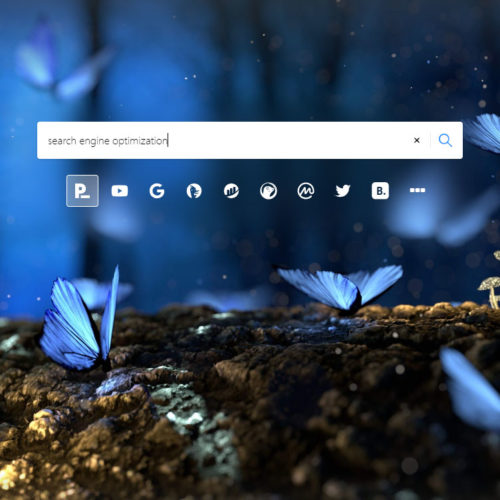
search engine optimization

Crafting compelling content is not only about captivating your audience but also about ensuring maximum visibility and reach. Optimizing your content for search engines plays a vital role in driving organic traffic to your website. Here are some key strategies for optimizing your content for SEO:

  1. Conducting keyword research and incorporating relevant keywords: Identify the terms and phrases your target audience is searching for. Utilize keyword research tools to uncover relevant keywords with a good search volume and moderate competition. Incorporate these keywords strategically throughout your content, including in headings, subheadings, and body text, while ensuring a natural flow and readability.
  2. Writing meta tags, meta descriptions, and optimized URLs: Meta tags and meta descriptions provide important information to search engines and users about the content of your web pages. Craft compelling and descriptive meta titles and descriptions that accurately summarize your content and entice users to click through to your website. Additionally, optimize your URLs by including relevant keywords and keeping them concise and user-friendly.
  3. Ensuring proper internal linking and using descriptive anchor text: Internal linking is an effective way to guide both users and search engines through your website and improve overall website structure. When creating content, incorporate relevant internal links to other pages on your website. Use descriptive anchor text that clearly indicates what users can expect when they click on the link. This helps search engines understand the context and relevance of your content.

Remember that SEO is an ongoing process, and it’s important to continuously monitor and optimize your content based on performance metrics and search engine algorithm updates.

Analyzing and Refining Your Content Strategy

To ensure that your content strategy remains effective and aligned with your goals, it’s important to regularly analyze the performance of your content and make data-driven decisions. Here are some key steps to help you analyze and refine your content strategy:

  1. Monitor content performance and engagement metrics: Utilize analytics tools such as Google Analytics or other tracking plugins to chart key performance metrics. Pay attention to metrics like page views, time on page, bounce rate, and conversion rates. These metrics provide insight into how well your content is performing and how users are engaging with it.
  2. Gather feedback from your audience: Encourage your viewers to provide feedback on your content through comments, surveys, or social media interactions. Take note of their comments, questions, and suggestions, as they can provide valuable insight into what resonates with your audience and what areas can be improved.
  3. Identify top-performing content: Find the content pieces that have performed exceptionally well in terms of traffic, engagement, and conversions. Analyze the characteristics and elements of these successful pieces to understand what makes them stand out.

Content strategy is not a one-size-fits-all approach. It requires continuous adaptation and optimization based on the feedback and knowledge you gather. Keep regularly analyzing your content performance and refining your strategy, and you can create content that consistently engages your audience and helps you achieve your website goals.

Put It Into Practice

Now it’s time to put these strategies into action. Start implementing them on your website, experiment with different approaches, and monitor the results. With dedication and consistency, you can create a captivating website experience that attracts, engages, and delights your audience.

Creating engaging content is a journey that requires continuous effort and adaptation. With some careful planning and consistent execution, you can set your website apart, captivate your audience, and achieve your goals. Embrace the power of engaging content and create an online presence that leaves a lasting impression.

Using Social Media in Web Design to Grow Your Audience

Social media has become an integral part of our lives, and as such, it has also become an important element of web design. Integrating social media into a website can provide a variety of benefits, including increased engagement, improved reach, and stronger brand recognition.

Getting Started With Social Media

When it comes to incorporating social media into your website, it’s important to first establish a presence on the platforms that are most relevant to your business. This may include Facebook, X (formerly Twitter), Instagram, LinkedIn, and others. Not all social media platforms are created equal. Some are better suited for certain businesses than others. Do some research to find out which social media platforms your target audience is using, and focus on those platforms.

Social media can be a powerful tool for promoting your website and connecting with your audience. To get started, it’s important to fill in your profile information on each platform and make sure it accurately reflects your brand. This includes your logo, cover image, bio, and contact information. Once your profiles are set up, you can start engaging with your followers and sharing content. Don’t forget to include links to your website and encourage your followers to visit your site. It may take time to build a following, but consistent updates and engaging content can help you gain traction and grow your online presence.

Using Your Website to Grow Your Social Media Following

Once you have created your profiles, it’s important to include links to your social media accounts on your website. This allows visitors to easily find and follow your business on their preferred social media platform. Many web design platforms and tools offer built-in social media integration options, making it easy to add links to your profiles in a prominent location on your website.

Another way to use social media in web design is by incorporating social media feeds directly into the website. This can be done using widgets or plugins that pull in content from the website’s social media profiles. This provides visitors with a dynamic and constantly updated view of your social media activity, which can help to build trust and engagement. If you’re not updating your site on a regular basis (and you should be), this can help to keep your website from becoming stale.

Consider offering exclusive content or discounts to your social media followers to incentivize them to follow you. You can promote these offers on your website to encourage visitors to follow you on social media.

Using Social Media to Get More Website Traffic

One of the most effective ways to leverage social media in web design is by adding social sharing buttons or icons to the website. These might be placed in the header or footer of the website, or even within individual pages or blog posts. This encourages visitors to easily share the website’s content on their own social media profiles. Each share is like a personal endorsement to all of their friends and followers, which can massively help to expand your website’s reach and attract new visitors.

When you add new content to your website, you can utilize social media to promote it and drive traffic to your site. Share links to your new content on your social media profiles to let your followers know about it. Be sure to craft a compelling headline and include an eye-catching image to make your post stand out. You can also use hashtags related to your industry or topic to reach a broader audience. This can lead to increased website traffic and improved search engine rankings.

Resurfacing old content on social media is a great way to breathe new life into your website and increase traffic. Not all of your followers may have seen your content the first time around, so re-posting or sharing older posts can help you reach a wider audience. To resurface old content, take some time to review your past posts and identify evergreen content that is still relevant and valuable to your audience. Then, create new social media posts promoting that content, and schedule them to be shared on your social media platforms over time. You can also experiment with different messaging and visuals to see what works best to get people to engage with your content. Resurfacing old content is a simple but effective way to keep your social media profiles active and engaging.

Running contests and giveaways on social media can be an effective way to increase engagement and grow your following. To get started, determine what you want to achieve from the contest or giveaway, such as increasing your follower count or promoting a new product. Then, determine the rules, such as how users can enter, the deadline for entry, and the prize. Promote the contest or giveaway on your website and social media channels, and consider using paid social media ads to reach a wider audience. Be sure to comply with platform rules and regulations and disclose any necessary information to participants. Finally, track the results of the contest or giveaway to measure its success and use the insights gained to improve future social media campaigns.

Making the Most of Social Media

Social media can also be used as a tool for customer service and engagement. By responding to comments and questions on social media, businesses can build relationships with their customers and provide them with valuable support and assistance. Also, use social media to gather customer feedback from your most loyal followers. Ask your customers for their thoughts and opinions on your products, services, or website. This feedback can help you make improvements to your business strategy.

Paid promotions can be a powerful tool to reach a wider audience on social media. Platforms like Facebook, Instagram, and X (formerly Twitter) offer a variety of advertising options to target specific demographics and interests. Paid promotions can be in the form of sponsored posts, display ads, or promoted tweets, among others. Before investing in paid promotions, it is important to set clear goals and budget accordingly. Regularly monitor the performance of your ads and adjust your targeting and messaging as necessary to optimize your results.

Being consistent with social media updates is crucial to take full advantage of these powerful platforms. It’s important to have a set schedule for posting content to ensure that your followers are regularly engaged and informed about your brand. This also helps to establish a strong online presence and build a loyal following. Consistency in posting also ensures that your social media profiles stay active, and this can help improve your website’s search engine ranking by demonstrating your website’s credibility and relevance. You can use social media management tools such as Hootsuite, Buffer, or Sprout Social to synchronize your profiles and schedule your posts ahead of time.

Incorporating social media into your web design process can provide a variety of benefits for businesses, including increased engagement, improved reach, and stronger brand recognition. By using social media to its full potential, and engaging with customers on a regular basis, businesses can create a dynamic and engaging online presence to reach a larger audience.

Creating Effective Calls-to-Action in Web Design

Creating effective calls-to-action is a critical part of web design. A call-to-action (CTA) is a marketing message that encourages website visitors to take a specific action, such as subscribing to a newsletter, downloading a white paper, or making a purchase. A well-designed CTA can help increase conversions, drive sales, and improve user engagement. Here is a quick guide for creating effective CTAs in web design.

The first step to creating an enticing CTA is to make it clear what you want visitors to do. What is the specific action you want them to take? Do you want them to sign up for your newsletter, download a white paper, or make a purchase? Once you know what you want visitors to do, make sure your CTA clearly and concisely states that action. Use action-oriented language that tells users exactly what they will get by clicking on the CTA. For example, instead of “Submit,” use something like “Download My Free Guide.” Be sure to use clear and concise language that is easy to understand.

Your call-to-action should use strong, persuasive language that encourages visitors to take action. Avoid using weak or tentative language, such as “maybe” or “consider.” Instead, use language that is clear, direct, and confident. For example, instead of saying “Subscribe to our newsletter,” you could say “Get our latest news and updates delivered straight to your inbox.”

Make it easy for your visitors to take action. Ensure that the button or link is large enough to be easily clicked, and that it stands out from the rest of the page. You may also want to consider using a contrasting color for your CTA button or link to make sure it stands out. Choose colors that complement your website’s color scheme but are different enough to catch the user’s attention. Use bold or larger fonts to make the CTA more prominent.

Your CTA should be placed in a prominent location on your website where visitors are likely to see it. It should be easy to find and should appear on multiple pages if possible. Users should not have to search for your CTAs. Consider placing your CTA above the fold whenever possible, which means that it is visible without visitors having to scroll down the page.

Use urgency to create a sense of immediacy. Encourage users to act now by using phrases like “Limited Time Offer” or “Act Now.” Strong action words like “click,” “buy,” and “sign up” are more likely to get people to take action than vague terms like “learn more” or “explore.”

To write the most effective copy for your CTAs, get to know your target audience. Who are you trying to reach with your CTA? How can your product or service help them? Once you understand your target audience, you can tailor your message to appeal to their specific interests and needs.

Finally, test and optimize your CTAs regularly. There’s no one-size-fits-all approach to creating effective CTAs. Experiment with different language, colors, and placement variations to see what works best for your audience. Analyze your data to determine which CTAs are driving the most conversions and adjust your strategy accordingly.

Hopefully this guide has helped you use CTAs to increase your conversion rate and close more sales. By following these tips, you can create effective CTAs that encourage users to take action and improve your website’s overall performance. Ultimately, this should help you achieve your marketing goals.

Homepage Design: Take a Second to Consider Your First Impression

Your website’s homepage is often the first impression a visitor has of your brand, so it’s essential to make it count. A well-designed homepage can capture your visitor’s attention and guide them towards taking the desired action, whether it’s making a purchase, signing up for your newsletter, or browsing your content. Here are some tips and best practices to help you create a functional and eye-catching website homepage.

  • Make a plan with wireframing. Before you start designing and coding your homepage, brainstorm using wireframes and mockups to begin imagining what your final product can be.
  • Start with a strong header. The header is the first thing that visitors will see, so it’s important to make a good impression. Include your logo, a headline or tagline, and a call to action. Your headline should be clear, concise, and attention-grabbing. It should give visitors a good idea of what your website is about and what they can expect to find on it.
  • Create a strong visual identity. Your homepage should be visually appealing and should reflect the overall branding of your website. This means using consistent fonts, colors, and imagery throughout your homepage.
  • Know your audience. Understanding your target audience is crucial when creating a homepage that resonates with them. Consider their interests, values, and pain points and design your homepage accordingly to create a good user experience.
  • Keep it simple. A cluttered homepage can be overwhelming and confusing for visitors. Keep your homepage design simple, with a clear hierarchy of information that guides the visitor’s eye.
  • Use eye-catching visuals. Visuals can help capture your visitor’s attention and make your brand more memorable. Use high-quality images and videos that are relevant to your brand and message.
  • Keep your content organized and easy to scan. Use clear headings, subheadings, and bullet points to make your content easy to read and understand. You can also use white space to create visual breaks and make your content more visually appealing.
  • Make your value proposition clear. Your homepage should communicate your unique selling proposition and what sets your brand apart from the competition. Make sure your message is prominently displayed and easy to understand.
  • Make it easy to navigate. Visitors should be able to easily find the information they’re looking for on your homepage. Use a clear and concise navigation system and make sure all of your links are working properly.
  • Use clear and concise copy. Your homepage copy should be simple and to-the-point. Use clear headlines and subheadings to break up the text and make it easier to scan.
  • Optimize for mobile. With the majority of website traffic coming from mobile devices, it’s essential to optimize your homepage for mobile devices. Make sure your design is responsive and loads quickly on mobile devices.
  • Use calls-to-action (CTAs). Your homepage should encourage visitors to take action, whether it’s signing up for a newsletter or making a purchase. Use a clear and prominent CTA to guide visitors towards the desired action.
  • Optimize for search engines. Your front page is likely the page you want to rank highest in search engines. Use relevant keywords throughout your homepage content. This includes your headline, meta descriptions, and body text. Keep your homepage content fresh and up-to-date. Google loves fresh content, so make sure you’re updating your homepage regularly with new information and updates.
  • Test and iterate. Once you’ve created your homepage, it’s important to test it and iterate on it based on user feedback. This will help you to create a homepage that is both functional and eye-catching.

By taking these guidelines into account, you can create a useful and enticing website homepage that captures your visitor’s attention and guides them towards taking the desired action. Hopefully this translates to closing more sales, or getting more sign-ups. Remember to keep your homepage design simple, communicate your value proposition clearly, and use calls-to-action to funnel visitors through your desired path. And always keep it up-to-date with fresh and engaging content. This will help keep visitors happy and coming back for more.